
Already have Standard, Plus or Premium?
Sign in to My Kaspersky before purchasing again. A multi-device subscription may already include Mac protection, but features such as VPN, password management and identity services depend on the plan and country.
Where to download Kaspersky for Mac safely
The safest Kaspersky for Mac download route starts on a Kaspersky-owned product or downloads page. Regional sites can present different plans, prices and account steps, so this guide uses an official-page fallback instead of copying a temporary or country-specific DMG link.
The latest first-party documentation verified for this page is the Kaspersky for Mac 27 help center. Kaspersky does not publish one universal installer size or release date for every market, and we did not find a stable token-free DMG URL that could be validated as permanent.
Before installation, compare the plan named in My Kaspersky with the installer offered by the regional page. Standard, Plus and Premium can all cover Mac devices, but the included privacy and identity features are not identical.
On Apple silicon models, including M-series MacBook devices, use the current installer and approve only the macOS permissions requested by the visible Kaspersky application. Do not disable Gatekeeper or install a re-signed package from a mirror.

Official Kaspersky for Mac Download guide - facts
| Verified documentation | Kaspersky for Mac 27 |
|---|---|
| Checked | August 16, 2026 |
| Platform | macOS; exact supported versions must be confirmed on the current official page |
| Apple silicon | Use current first-party guidance for M-series Macs |
| Package and size | No universal DMG size or stable direct file URL verified |
| Download destination | Official Kaspersky Mac product page fallback |
| Installer hosted here | No—official source handoff only |
Choose the right Kaspersky Mac route
Match the official download route to the plan and account you already own rather than choosing only by the first download button.
- Choose Standard when your account names the current core protection plan.
- Choose Plus when the regional offer and subscription include the privacy features you need.
- Choose Premium only when the account and market confirm its additional services for Mac.
- Use the Mac page for macOS. Windows-only utilities such as Kavremover and KVRT are not substitutes for a Mac installer.
- If the Mac is managed by an employer or school, follow the organization’s Endpoint Security package and administrator instructions instead.

Install, permissions and first update
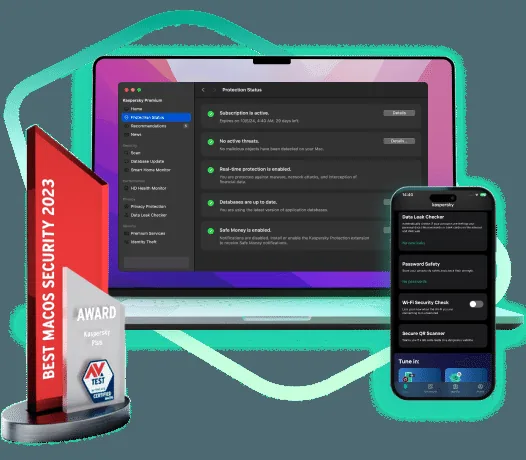
Open the official source, sign in if requested, and verify the publisher and product name before opening the downloaded package. Complete the installer, then allow the first database and application update to finish before judging protection status.
macOS can request system extension, network filter, full disk access or browser permissions for specific protection features. Read each prompt in context and use Kaspersky’s current version 27 help pages if a permission is missing.
For removal, use the uninstall command documented for the installed Mac application. Kavremover is not the normal Mac removal path. Restart only when the official instructions or installer asks for it.
Current consumer products normally use a Kaspersky account for subscription and device management. The download itself does not include a paid license. A trial, purchase or eligible activation code determines what becomes active after installation. Do not create multiple accounts to work around entitlement or region checks, because that makes renewals and device management harder.
Features described on marketing pages can depend on platform and country. Treat plan labels as a product-selection framework, then read the official local comparison before purchasing or migrating. If your account already displays a product and available devices, that account view is more useful than a generic search-result headline.
How to download and install from the official source
Use this workflow for a current subscription, an older Kaspersky product or a standalone utility. It keeps the publisher and entitlement clear and reduces the risk of a repackaged installer. Screens differ by country and product, but the source and account checks remain the same.
Confirm the product
Check the product name in My Kaspersky, your order email, license certificate or existing application. If the name is Anti-Virus, Internet Security or Total Security, read the migration notice before selecting a current plan.
Open the source page
Use the official-source button on this page. After the 15-second handoff, verify that the destination is a Kaspersky-owned domain or an official app store reached through Kaspersky.
Review local requirements
Confirm the operating system, account requirements, subscription terms and regional availability shown on the destination page. Do not rely on a file name or version number copied by an unrelated download portal.
Install and activate
Run the installer provided by the official source, approve the operating-system prompt and sign in with the legitimate account that owns the subscription. Restart only when the installer or support documentation requests it.
Before replacing an existing Kaspersky installation, note the account email and activation status. A current installer may upgrade the application in place, but preserving your account details is more important than preserving an old setup file.
After installation, run the built-in update process and review the protection status inside the application. Do not install a second real-time antivirus simply to compare detection results; use an official on-demand utility when you need a separate scan.
Windows, macOS, Android and iOS availability
Kaspersky packaging differs across platforms. Windows features may not exist on iOS, while mobile products normally come through an app store. Use the platform list as a guide and the official regional source as the final compatibility reference. Never rename a desktop installer, convert it into an APK or sideload a package from a mirror.
On Windows, remove an incompatible security suite only when official guidance requires it. Two products with real-time protection can cause performance or compatibility problems. On macOS, Android and iOS, grant only the permissions explained by the official setup flow. Avoid unrelated extensions, players or download managers bundled by third-party sites.
Download and installation troubleshooting
Most download problems are caused by product entitlement, regional routing, an older installation or an unsupported device rather than a damaged link. Work through the checks below before searching for an unofficial offline installer.
| Problem | What to check |
|---|---|
| The source page shows a different product | Check your country selector and account entitlement. Older licenses may be mapped to Standard, Plus or Premium, and some dedicated product URLs redirect to a regional download center. |
| The installer rejects the activation code | Confirm the code belongs to the same product family, country and account. Do not publish the code in a forum. Use My Kaspersky or official support to verify migration eligibility. |
| Installation stops or asks to remove software | Save your work, identify the conflicting security product and follow the official removal instructions. Do not use a random registry cleaner or password-removal utility. |
| The app is missing from a mobile store | Availability can differ by store region and device. Start from the official Kaspersky product page and use the store destination offered there instead of downloading an APK from a mirror. |
| You need an offline or managed installer | Consumer and business deployment packages are different. Administrators should use Security Center or the official business portal; home users should follow the consumer account and download flow. |
Our official-source and version policy
Kaspersky Download Wiki is an independent navigation site. We do not claim to be Kaspersky or operate its download infrastructure. Each page identifies the current product, explains legacy naming and provides a transparent handoff to a Kaspersky-owned source. External download actions are marked as official-source handoffs and use nofollow because this site hosts no installers.
We record the date on which a destination responded, but a successful source page does not prove that one universal installer version is current worldwide. Kaspersky can vary releases, file sizes, features and store availability by platform, account and country. For that reason, this site does not invent a version number, checksum or file size. The destination page and signed installer metadata are the final references at installation time.
Cracks, leaked keys and preactivated builds are excluded
A modified security installer can disable updates, change trusted components or hide additional software. This site does not host or link to Kaspersky cracks, key generators, leaked activation codes, password bypass tools or preactivated packages. Use a legitimate subscription, an eligible migrated license, an official trial or a free utility designed for the specific job.
Official Kaspersky for Mac Download guide - FAQ
Does Kaspersky work on MacBook M4 and other Apple silicon Macs?
Current Kaspersky for Mac guidance covers modern macOS installations, but compatibility depends on the exact macOS release and current build. Check the official system requirements before installing on an M-series Mac.
Is there a direct Kaspersky DMG download link?
We did not verify one permanent token-free DMG URL for every country. The button on this page opens a Kaspersky-owned product page so the current regional installer or account flow can be selected safely.
Which Kaspersky plan should I install on a Mac?
Install the plan shown in My Kaspersky or your purchase record. Standard, Plus and Premium can differ in included services even when each supports macOS.
How do I uninstall Kaspersky from a Mac?
Use the removal option documented for the installed Kaspersky for Mac application. Do not use Windows-focused Kavremover as a Mac uninstaller.
Can I download Kaspersky for Mac from the App Store?
Availability and distribution routes can change by country and product. Use the official Mac page and follow the store, account or installer route it currently presents.
Does this website host a Kaspersky installer?
No. Kaspersky Download Wiki hosts guides and source records, not executable installers, APK files, ISO images or deployment packages. The download action opens a Kaspersky-owned product, download or support page after a visible countdown.
Can I use the same download in every country?
Not necessarily. Products, stores, subscriptions and individual features can differ by market. Confirm the country and product shown on the official destination page. This directory does not route around regional restrictions or promise that a product is available where Kaspersky does not offer it.
How do I verify that the file came from Kaspersky?
Start from a Kaspersky-owned source, avoid download managers and inspect the operating system's publisher or signature information before allowing installation. If the publisher is unexpected or the file arrived inside an unrelated archive, cancel the installation and return to the official source.